This article is based on this talk by Chris Domas.
Binary visualization explores a simple idea: turn raw binary files into images, so humans can spot patterns with their eyes instead of reading endless hex dumps.
A small Rust script, compiled to WASM, converts bytes into 256×256 visual fingerprints. Potential applications include data recovery, malware understanding, document clustering, and traffic analysis.
Early results look promising, but they also show a hard limit: large binaries are difficult to compress into a tiny image without losing structure.
The console above runs the Rust visualizer in your browser. Drop a binary file and it renders its fingerprint. Try it with several executables and compare them — executables are the quickest way to see your first patterns 😎
Why visualize binaries?
Reverse engineering tools usually display binaries as hex dumps or disassembly, which is accurate but cognitively expensive. Chris Domas describes the core problem well: there is a gap between raw bytes and high-level reasoning tools, and humans are left to bridge it with intuition and experience.
Dynamic binary visualization tries to bridge that gap with a representation the brain is good at: spatial patterns. Instead of parsing structure first, you get a quick shape of the binary — regions, repetitions, anomalies, transitions.
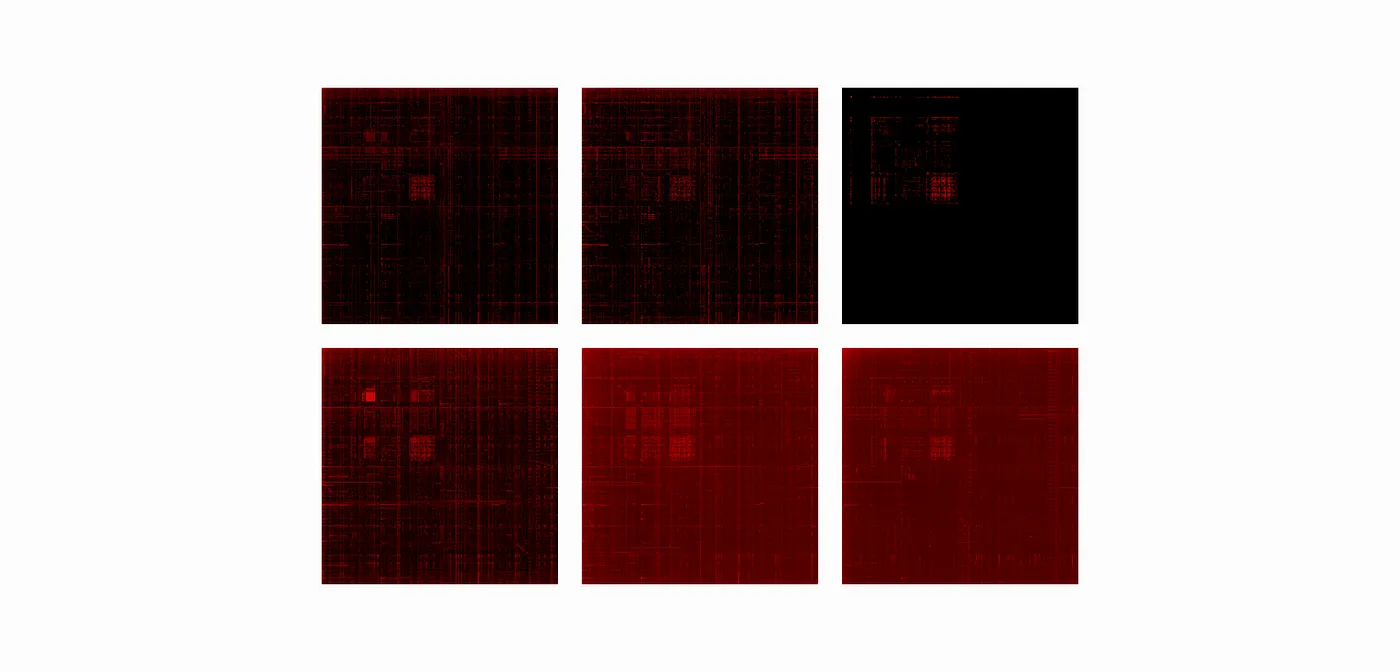
A naive but effective generator
The dataset generator is intentionally simple:
- Read the binary file
- Slide over it in a window of two bytes
- Interpret the pair as
(x, y)coordinates, each byte in[0, 255] - Plot points into a 256×256 image
Fast, and it produces recognizable patterns. It is also naive:
- it does not preserve locality in a principled way
- it does not explicitly surface compression or encryption zones
- it squeezes huge files into a fixed image size, which blurs structure
Scaling up with chunking
Large executables do not fit nicely into a single 256×256 summary. A practical fix is chunking: split the file into smaller ranges and visualize each chunk. That enables exploration at multiple scales and makes "where is the weird region?" much easier to answer.
Better locality with space-filling curves
Aldo Cortesi explored a more advanced approach using space-filling curves — zig-zag, Z-order, Hilbert. The idea is to map a 1D byte stream into 2D while preserving locality as much as possible.
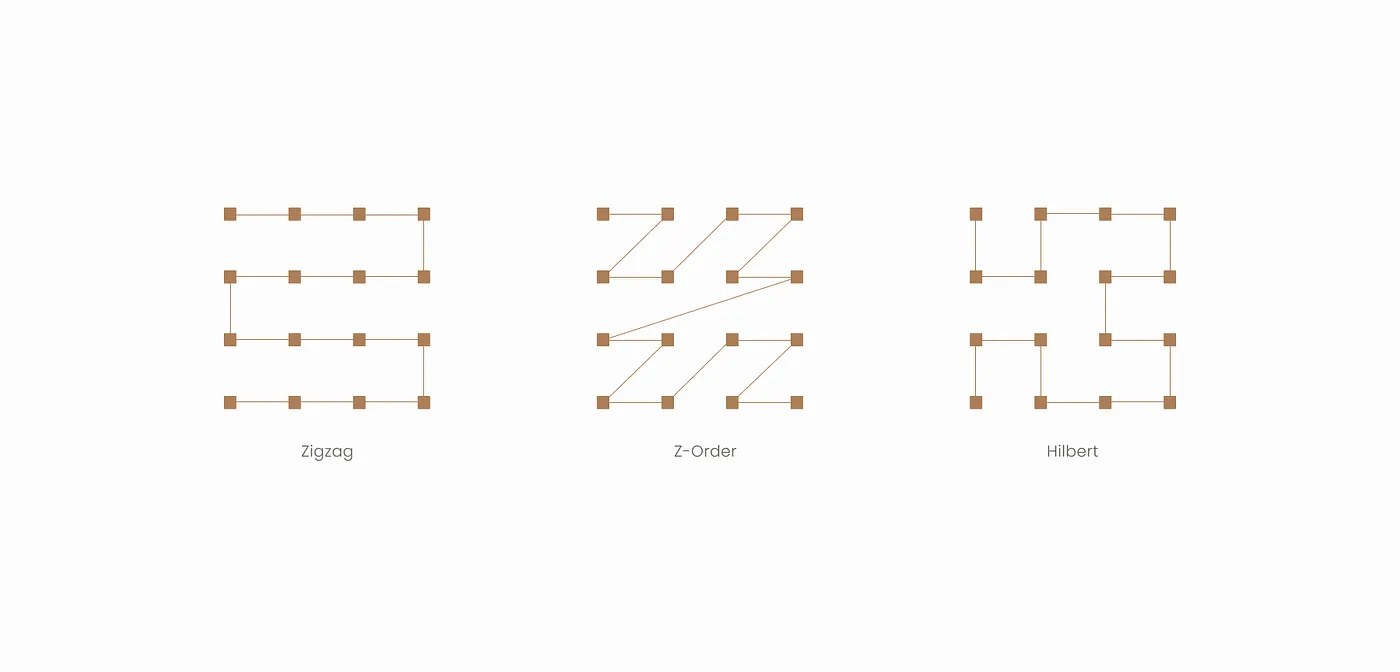
Key takeaways from Cortesi's experiments:
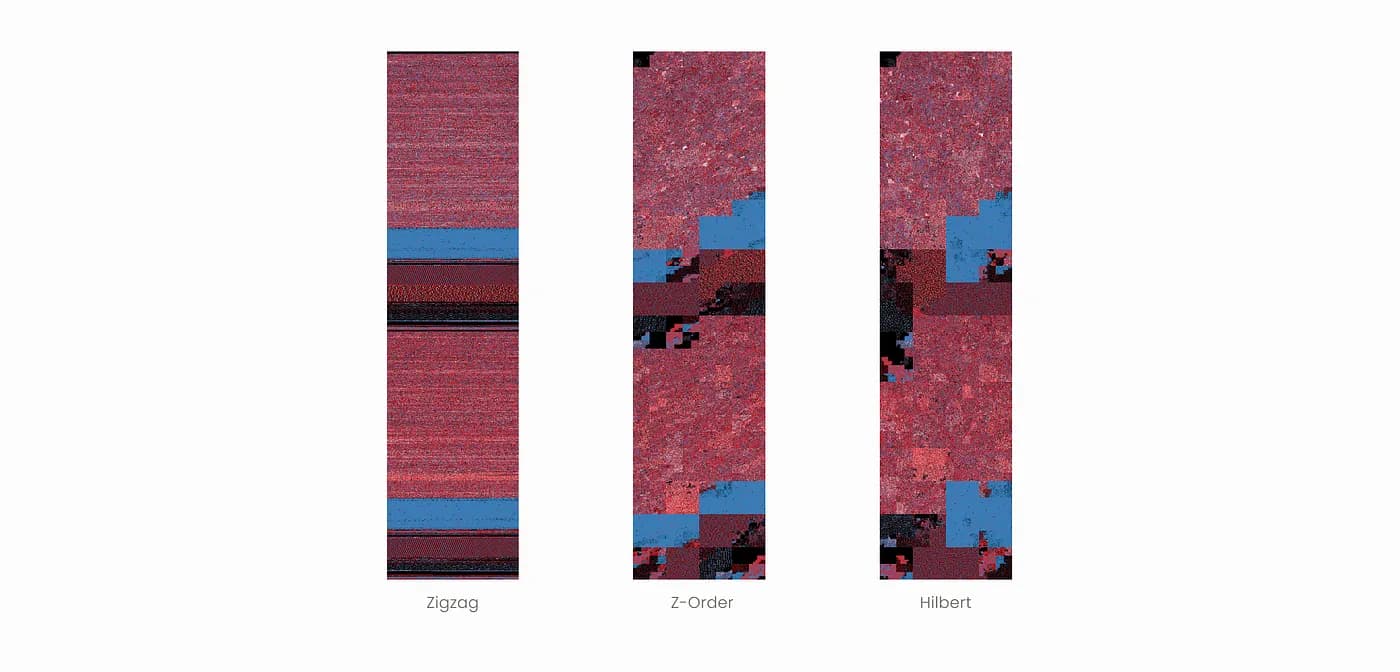
- Hilbert curves preserve locality best, but are more complex to generate
- Z-order is simpler and faster, but weaker on locality
- zig-zag tends to wash out small-scale features
I have not integrated this approach yet, but it is one of the most promising directions to reveal global structure at a glance. Some of Cortesi's visualizations using space-filling curves:
Dataset creation
The Binary Visualization Dataset was built with a simple pipeline:
- Collect binaries — Kaggle datasets plus executables from a personal ARM laptop
- Clean and preprocess — remove metadata when relevant, keep raw bytes
- Visualize using the Rust script
- Annotate by directory-based labeling
- Validate basic integrity and reproducibility
Covered categories include images (jpg, png, bitmap, …), audio (wav, …), and executables (ARM and x86_64). The layout:
binary_visualization_dataset/
  audio/
    wav/
  executables/
    ARM/
    x86_64/
  images/
    bitmap/
To preserve provenance, visualizations keep the original filename and add a suffix, for example original.bin.bvtool.png.
Conclusion
This project reinforced a simple lesson: visualization can turn an expert-only task into pattern recognition, which humans are very good at.
It also exposed the main challenge: large binaries are hard to summarize without losing meaning. Chunking helps, and locality-preserving mappings like Hilbert curves look like the next step.
References
- C. Domas, The Future of RE, REcon 2013 (Jun. 2013).
- A. Cortesi, Visualizing binaries with space-filling curves (Dec. 2011).
- A. Cortesi, Visualizing entropy in binary files (May 2016).
Want to keep reading? Here is a magic trick that instantly shrinks your program's memory footprint 🤓